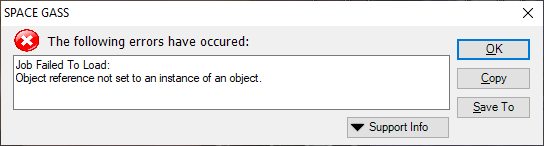
This is usually due to your graphics card crashing when SPACE GASS loads the graphics engine. It could be due to any of the following reasons.
- Your graphics card software is not up-to-date (refer to item 3 at www.spacegass.com/hardware).
- Your computer has multiple graphics cards installed, but SPACE GASS is not set to use the high performance card (refer to item 2 at www.spacegass.com/hardware).
- You are using a laptop docking station or expansion hub that does not support the latest OpenGL 4 graphics (try undocking/unplugging the laptop and just use the laptop display).
- You are using Remote Desktop software that does not support the latest OpenGL 4 graphics (refer to www.spacegass.com/remotedesktop for an example of remote desktop software that will work).
- You are using a Virtual Machine that does not support the latest OpenGL 4 graphics (note that Microsoft Hyper-V with RemoteFX supports OpenGL 4).
- You are using an Apple Mac with VMWare or Parallels Desktop, both of which do not support OpenGL 4 graphics (Apple BootCamp with Windows installed is the best option).
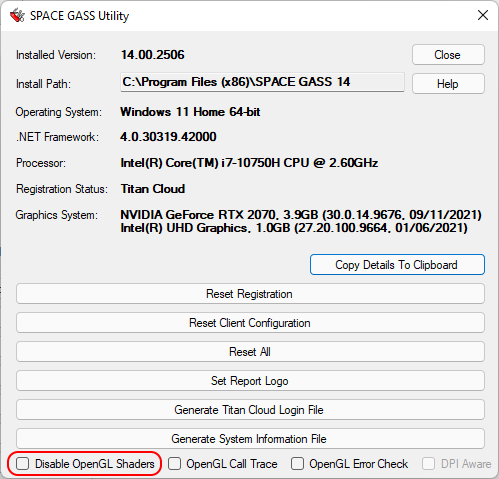
- Your graphics card is too old and doesn't support the latest OpenGL 4 graphics that SPACE GASS uses (run the SPACE GASS Utility Tool from your SPACE GASS program folder and tick the "Disable OpenGL shaders" option (see below) - this solution will result in much slower graphics than normal but at least will enable SPACE GASS to run).
Was this article helpful?
That’s Great!
Thank you for your feedback
Sorry! We couldn't be helpful
Thank you for your feedback
Feedback sent
We appreciate your effort and will try to fix the article