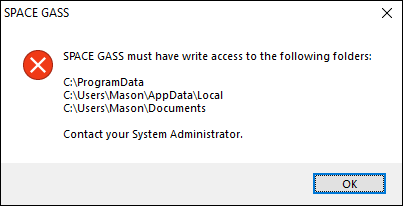
During normal operations, SPACE GASS needs access to a number of folders that it writes files to. If access to these folders is blocked then you will get this error message when you try to start SPACE GASS. It could be due to any of the following reasons.
- If you are in a corporate environment, your IT department may have locked down the computers to stop this access. You should contact them to have this changed.
- You may have an overzealous third party anti-virus program. Add SPACE GASS to its "safe" or "trusted" list.
- Your Windows ransomware protection settings may be enabled. Add SPACE GASS to the "Allow an app through Controlled folder access" list.
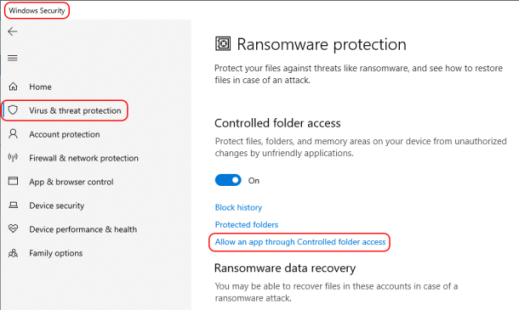
For items 2 and 3 above, the SPACE GASS program is sgcore.exe and is usually located in "C:\Program Files\SPACE GASS 14.2".
Was this article helpful?
That’s Great!
Thank you for your feedback
Sorry! We couldn't be helpful
Thank you for your feedback
Feedback sent
We appreciate your effort and will try to fix the article